SOLVED! The firmware on my Clip Sport Go was 1.04. I updated to 1.05 and that fixed everything. I dropped the upgrade file (archived here for safekeeping) onto the player (from Windows), let it upgrade, then formatted it from within the player (not sure that was necessary), and now it’s auto-mounted on linux and works perfectly!
I picked up a SanDisk Clip Sport Go and it does not want to mount in linux. I tried it on my Windows 10 laptop and it mounts as a drive just fine. Transferred music over, everything is great. On Linux Mint 20.3 (Una) here is what happens…
When I plug it in, after a LONG time (30s? 1 minute?) I eventually hear the “device connected” sound, but nothing mounts. If I then opened the Disks application I could see it there, but there is no option to mount it. From what I figured out, the first partition is the firmware, the second is for storage and this larger storage partition is what gets mounted to transfer files.
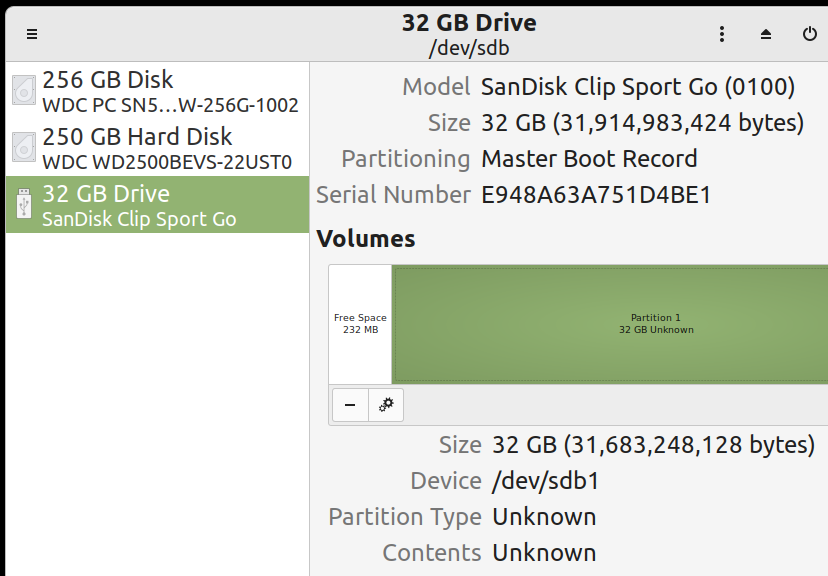
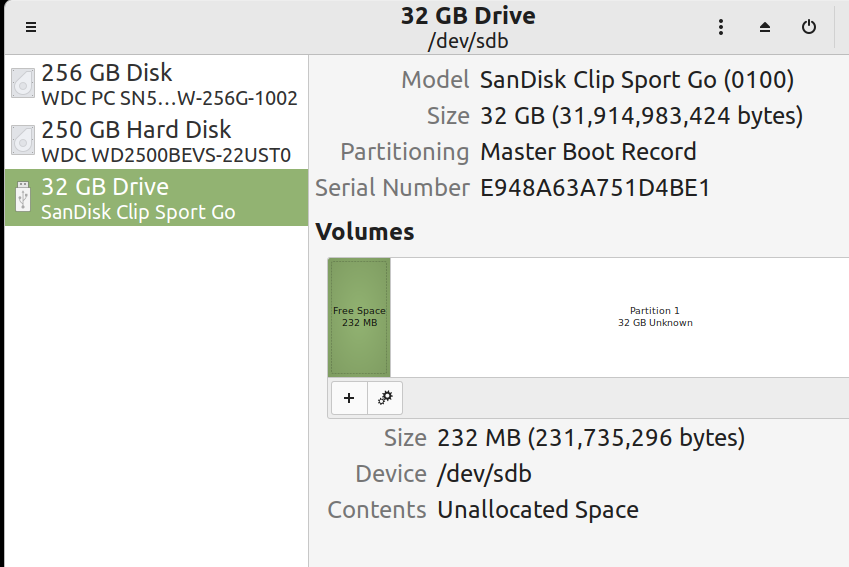
Here is what I see with various commandline tools.
>dmesg

[69270.998580] usb 1-3.2: new high-speed USB device number 32 using xhci_hcd

[69271.124081] usb 1-3.2: New USB device found, idVendor=0781, idProduct=75a2, bcdDevice= 1.00

[69271.124086] usb 1-3.2: New USB device strings: Mfr=1, Product=2, SerialNumber=3

[69271.124089] usb 1-3.2: Product: Clip Sport Go

[69271.124091] usb 1-3.2: Manufacturer: SanDisk

[69271.124093] usb 1-3.2: SerialNumber: E948A63A751D4BE1

[69271.124754] usb-storage 1-3.2:1.0: USB Mass Storage device detected

[69271.124964] scsi host2: usb-storage 1-3.2:1.0

[69272.152157] scsi 2:0:0:0: Direct-Access     SanDisk  Clip Sport Go         PQ: 0 ANSI: 0 CCS

[69272.152577] sd 2:0:0:0: Attached scsi generic sg1 type 0

[69272.152808] sd 2:0:0:0: [sdb] 62333952 512-byte logical blocks: (31.9 GB/29.7 GiB)

[69272.153038] sd 2:0:0:0: [sdb] Write Protect is off

[69272.153041] sd 2:0:0:0: [sdb] Mode Sense: 00 c0 00 00

[69272.153283] sd 2:0:0:0: [sdb] Write cache: disabled, read cache: disabled, doesn't support DPO or FUA

[69272.175321]  sdb: sdb1

[69272.203525] sd 2:0:0:0: [sdb] Attached SCSI removable disk

[69297.712213] sd 2:0:0:0: [sdb] tag#0 FAILED Result: hostbyte=DID_OK driverbyte=DRIVER_SENSE

[69297.712218] sd 2:0:0:0: [sdb] tag#0 Sense Key : Not Ready [current]

[69297.712223] sd 2:0:0:0: [sdb] tag#0 Add. Sense: Medium not present

[69297.712227] sd 2:0:0:0: [sdb] tag#0 CDB: Read(10) 28 00 00 00 00 88 00 00 78 00 00 00

[69297.712231] blk_update_request: I/O error, dev sdb, sector 136 op 0x0:(READ) flags 0x80700 phys_seg 8 prio class 0
>lsusb
Bus 001 Device 032: ID 0781:75a2 SanDisk Corp.
>sudo lsblk -f
NAME FSTYPE LABEL UUID FSAVAIL FSUSE% MOUNTPOINT
sda
-sda1 ext3 250GBInternal 691371aa-65ae-4b36-b370-a16b7b2749b2 92G 55% /mnt/250GB
sdb
-sdb1
nvme0n1
-nvme0n1p1 vfat D60E-3F13 504.9M 1% /boot/efi
-nvme0n1p2 ext4 40c10a78-d3b4-4225-ab89-5c4ba2103dc2 53.3G 72% /
>sudo mount /dev/sdb /mnt/clipsportgo
mount: /mnt/clipsportgo: wrong fs type, bad option, bad superblock on /dev/sdb, missing codepage or helper program, or other error.
So, anyone know how I can mount this under linux?
I posted this over at https://unix.stackexchange.com/questions/799119/cannot-mount-sandisk-clip-sport-go to see if they can provide any insight.