Some really good MP3s here: PartyBen, DJ Earworm, and Futuro Mashups
Mashups!
Leave a reply
Some really good MP3s here: PartyBen, DJ Earworm, and Futuro Mashups
I can’t remember my slashdot login so I wanted them to email me my password. You know those images you have to look at then type in the letters that are in the image (and the letters are all squiggly or colors/patterns go through them)? They are called captchas. Take a look at these from slashdot:

Is that dkiiymi?

WTF is that first letter?
I am a HUMAN and I have a hard time telling what letters those are!
Sweet! My last post about ebooks on the Juicebox made Make Magazine and Hackaday!
I picked up a couple Juiceboxes and MP3/picture kits a few months ago when they were on clearance at WalMart. A few days ago I noticed they were on clearance now at Target (you can get both the unit and the MP3/picture kit for a total of $24 plus tax) and I posted to the linux-hacker forums that Target had them on clearance now. Today, there is a slashdot post about them. Hopefully now someone will figure out how to make it play our own videos.
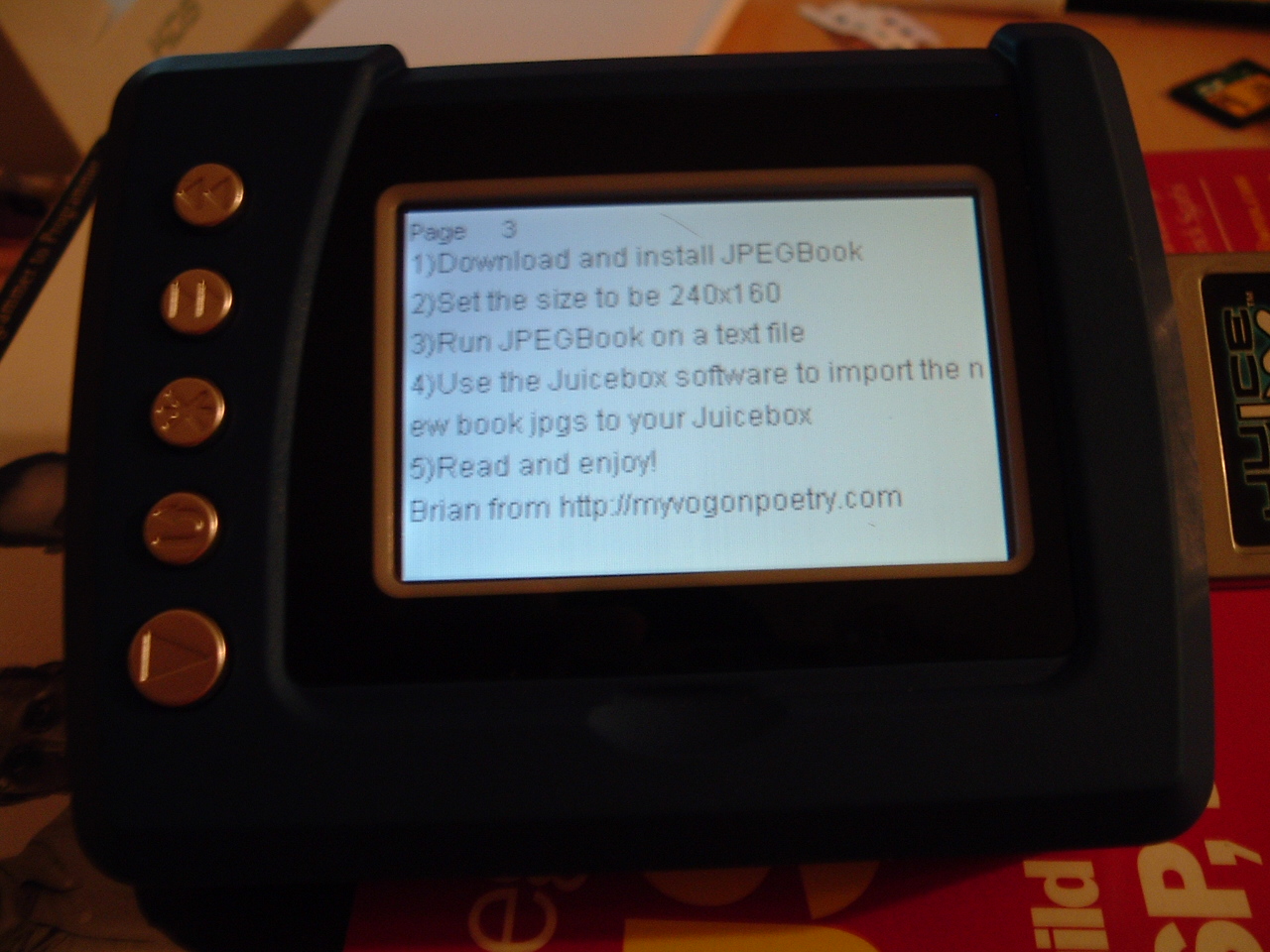
Poking around online, I found this post talking about using it as an e-book reader. I hadn’t thought of that! So, since I had some lying around, I tried it. In about 10 minutes I was reading text on my Juicebox. Here’s how I did it:
Here is the JPG that I put on the Juicebox:

Here is a picture of the Juicebox displaying the text image (click to enlarge – it’s readable!). It looks much better in person – the screenshot looks a bit blue and washed out:
UPDATE: Here is a Flickr photo showing the button functions (point at the buttons):
http://www.flickr.com/photos/brianpipa/17335231/
Technorati: juicebox, ebooks, ebook reader, hack, slashdot
Some more good music. This time found thanks to the De-Fi Radio Podcast. Check out http://www.paulwarnermusic.com – he sounds a bit like John Mayer. Paul has his entire album available in MP3 format for free download.