NOTE: As an Amazon Associate I earn from qualifying purchases. The Amazon links below are affiliate links.
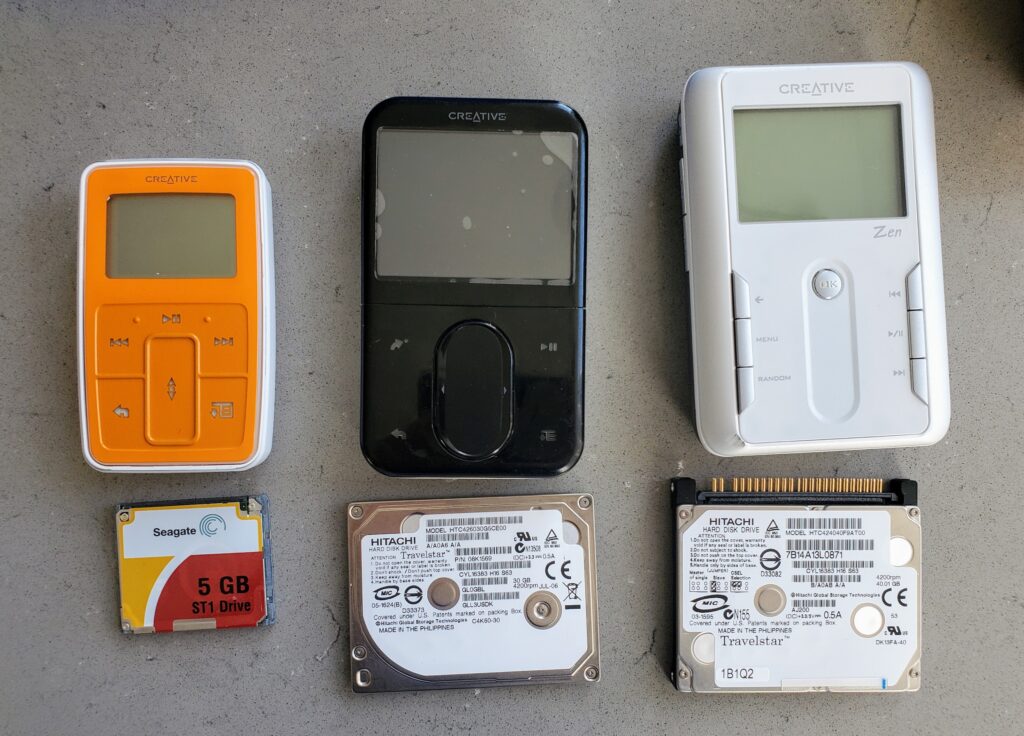
I’ve been on a kick lately buying bulk lots of MP3 players and reviving/updating/upgrading them. Keeps me busy, keeps them out of landfills, and is fun for me. Recently I got a bulk lot that had numerous Creative Zens: two Micro, one Touch, and one Vision:M. It was a major PITA to get these working so I wanted to document this for myself and others. I archived all the files on github – see brianpipa/CreativeZen.
First, big thanks to Reddit user jenrenefefe whose complete Creative Zen update guide was instrumental in helping me do this. I also archived it on github as a PDF, just to be safe.
OVERALL
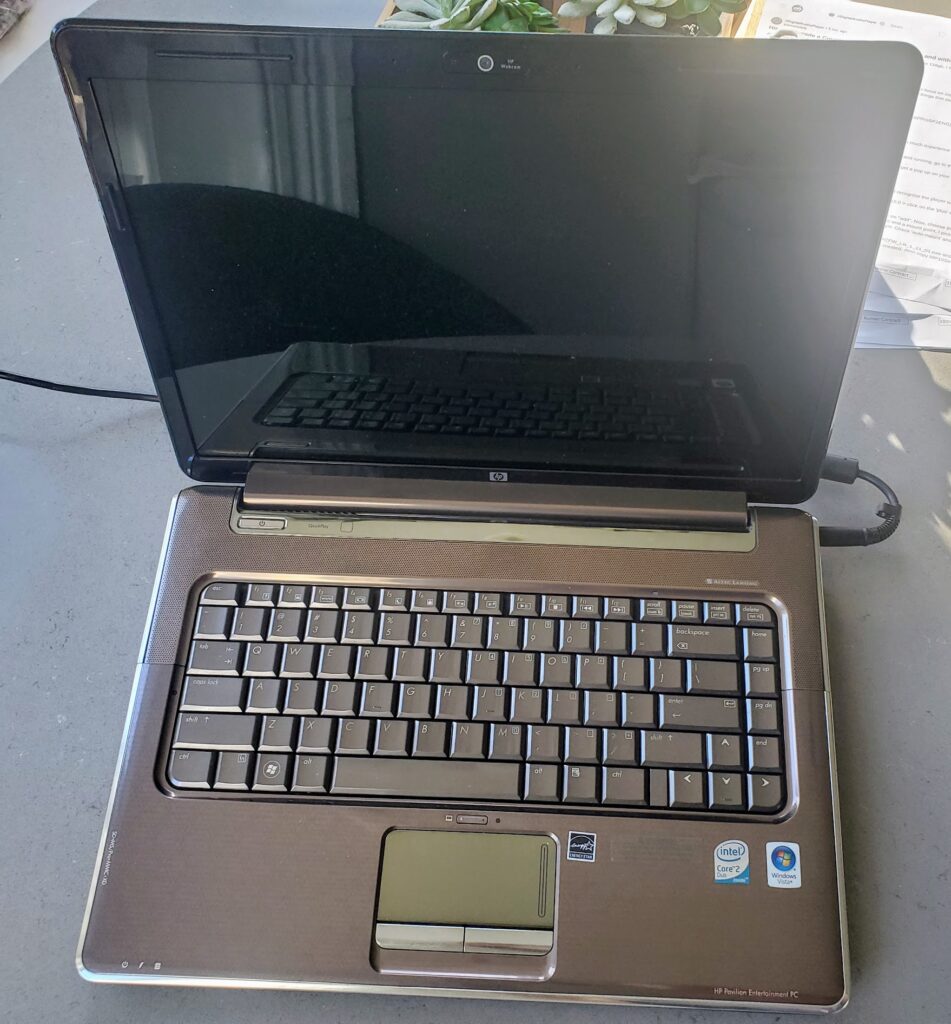
You will need Windows 98. I followed the instructions in the guide to download a Windows 98 ISO. My only laptop is Linux Mint and I didn’t want to try dual booting it and I tried VirtualBox on it but I couldn’t get it to work. So, I bit the bullet and spent $23 on an old laptop to put Windows on. This is now my “old tech” laptop. I installed Windows 10 Home and VirtualBox, and setup VirtualBox with Windows 98. Follow the info in the guide. This was not easy. The laptop came with no OS on it, and I had to jump through all kinds of hoops to install Windows on it… but I eventually got it done.
I’m not going to go through the software/firmware/drivers – the guide goes through that – I’m just going to go over the hardware I used to upgrade the drives.
Creative Zen Micro
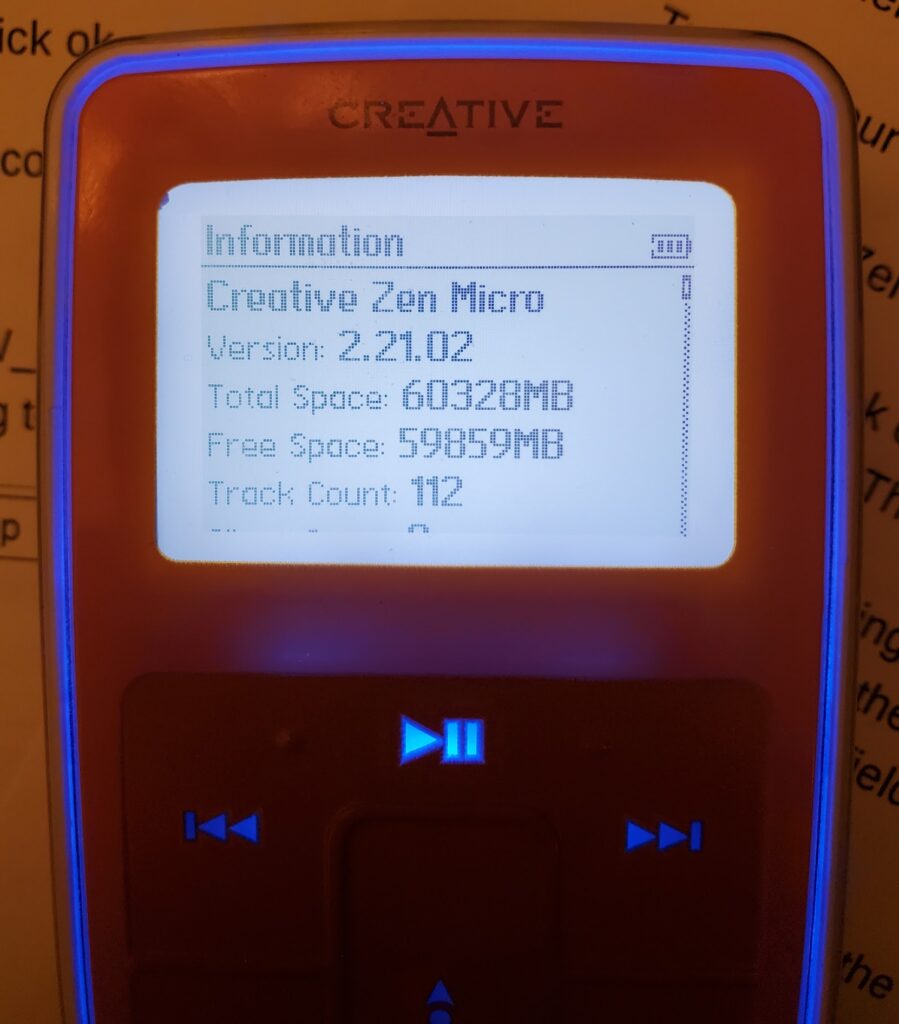
I updated the firmware to the latest 2.21.02 so that it supports drag and drop. I needed a CF->SD adapter and a MicroSD->SD adapter. Here are the links to what I used.
- $13 QUMOX Dual Port CF Adapter Reader for microsdXC TF to Compact Flash CF Type 1 Memory Card
- $13 Amazon Basics MicroSDXC UHS-I Class 10 Memory Card with Full Size Adapter, A2, U3, V30, 4K, 64 GB (2pack)
- $13 HQRP 750mAh Replacement Battery Compatible with Creative Zen Micro DAA-BA0005
So the hardware to upgrade the drive in the Creative Zen Micro cost me about $20 and the battery was another $13 so about $32 total.
Here’s a YouTube video that shows how to take the Creative Zen Micro apart Use the existing drive in the Micro to figure how to put the new adapter in – it goes the same way – whichever way the front of the existing drive faces, put the adapter in facing the same way. I installed the 1.11.01 firmware first, then updated it to 2.21.02. Maybe you can go straight to 2.21.02 – not sure. I also needed a battery and bought this battery from Amazon and it worked great.
So now the Micro has 64GB of storage:
I sold this Micro on ebay for $50 and sold a 128GB silver one on ebay for $85.
Creative Zen Vision:M
Note that I set the VM to use USB 2.0 for the Vision:M.
From what I read, some Vision:M devices use a ZIF connector and some use CF. Mine used ZIF so this is the hardware I used:
- $8 CY CF Memory Card Adapter SSD HDD Adapter 1.8″ Compact Flash CF Memory Card to CE ZIF SSD HDD Adapter
- $13 QUMOX Dual Port CF Adapter Reader for microsdXC TF to Compact Flash CF Type 1 Memory Card
- $13 Amazon Basics MicroSDXC UHS-I Class 10 Memory Card with Full Size Adapter, A2, U3, V30, 4K, 64 GB (2pack)
So the hardware upgrade the drive in the Creative Zen Vision:M cost me about $27.
YouTube video that shows how to take the Creative Zen Vision:M apart
I also needed a battery so I ordered this battery from Amazon but it hasn’t arrived yet at the time of this writing. UPDATE: The battery works!
I read that the last firmware that supports third party batteries was 1.41.01 so that’s the one I installed. I also read that the specific battery I bought is seen as an OEM battery, but I didn’t want to take chances.
So now the Creative Zen Vision:M has 64GB of storage:
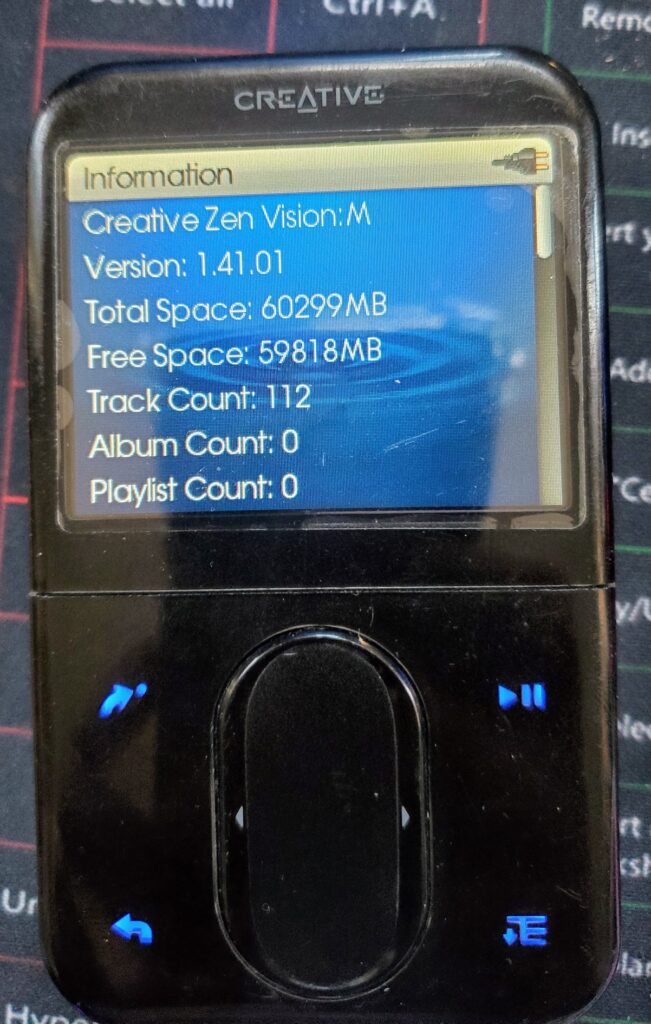
(that’s just a poorly applied screen protector – the actual screen is pristine)
I sold this on ebay for $64.
Creative Zen Touch
Adapter needed: $13 Comimark 1Pcs SODIAL(R) 44-Pin Male IDE to SD Card Adapter. Install this upside down (so you can’t see the SD card).
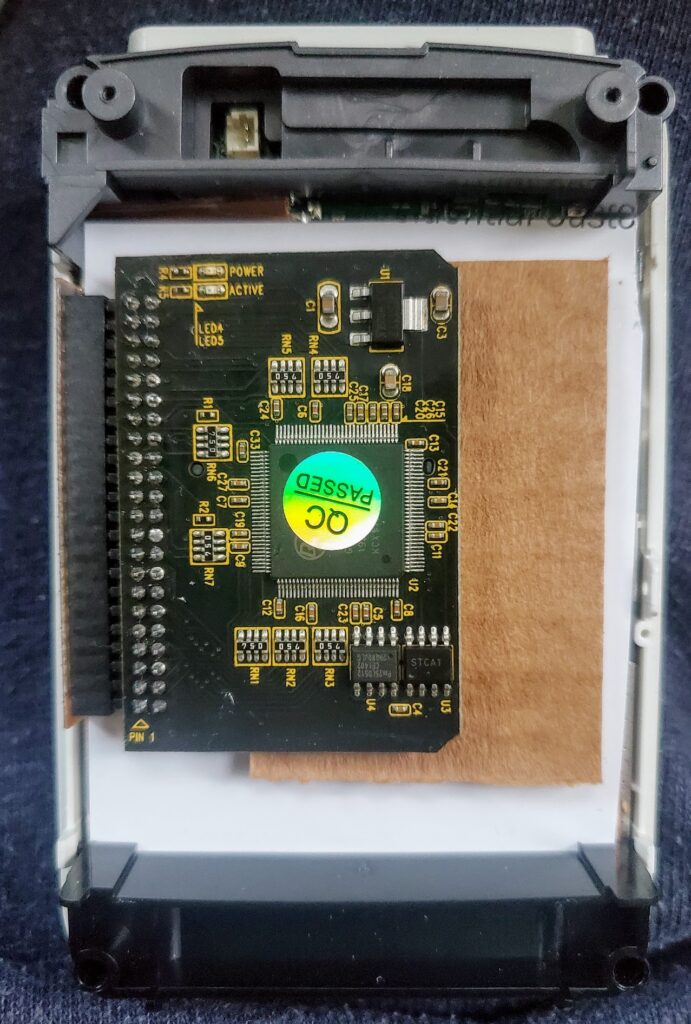
I had an extra 32GB microSD card so i just used that. I don’t have the specs on the microSD card handy and don’t feel like pulling it apart to look. I ended up putting some cardboard padding on both sides to prevent it from flopping around.The battery seems to hold a decent charge so I didn’t replace the battery,
I wish I had a 3D printer and some design skills to print out a new shallower back – without the HDD it could be SOOOO much thinner!
So now the Creative Zen Touch has 32GB of storage:
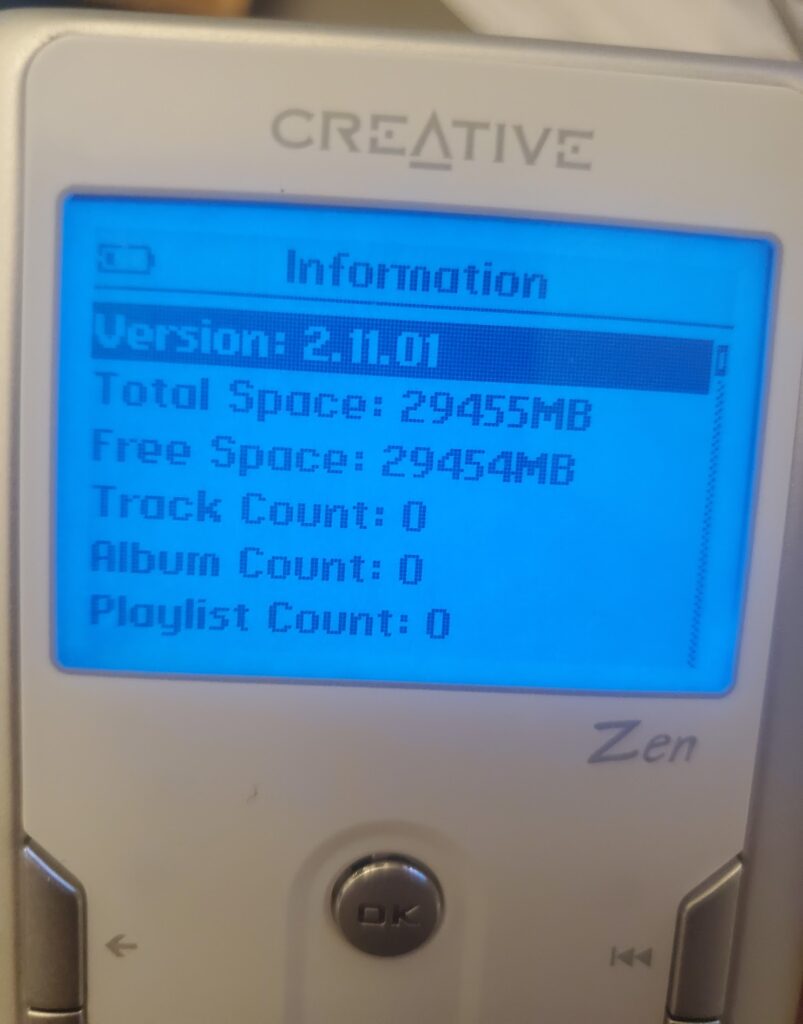
I sold this on ebay for $40.
So that’s it! 3 Creative Zens upgraded! Feel free to ask questions in the comments – I’ll help if I can.
Reference links:
That’s so cool! I’m reviving my Creative Zen Micro too, it’s a bit different model DAP-HD0015 with much smaller battery but with 20GB HDD (I believe). I wasn’t able to disassemble it yet, but want to see if it still works if I put a new battery.
Thanks for sharing your trial!
Wow! I admire your tech skills. How do you restore the firmware OS on the Zen Touch after you have replaced the hard drive with a SD card? Also, I can’t get the HD out. It just refuses to budge. Any tips? Thank you!
I think i just ran the firmware updater, though I don’t recall the details now.
I don’t remember having problems getting the HDD out.
Pingback: Creative Vision:M IDE HDD upgrade to microSD and battery replacement | MyVogonPoetry
Curious if you thought about trying a 128gb sdxc card in the zen touch. The adapter you used says SD specification VER2.0, but i’m wondering if the zen touch/ adapter will recognize a sdxc if formatted fat32.
I don’t have this any more, sold it on ebay. I would think 128GB would work though.
Sigh… no dice for me. Booted up in recovery mode and every option I choose results in a “harddisk problem.”
I have some of the files and pictures of the upgrades for the Zen Vision W if you are interested in hosting them. I went though a couple of iterations before getting something that works.
Sure! I have a github project with files – I can put them there
https://github.com/brianpipa/MP3Players
Help,
Do you have or know where can find 1.41.01 firmware for Zen Vision:M???
Thanks,
Terry
Yep – I archived it here: https://github.com/brianpipa/MP3Players/tree/main/Creative/ZenVisionM
Thanks for sharing this. So is there no way to put music on my Zen Touch without getting a Windows 98 machine? My Mac doesn’t recognise it as a USB device. I’m not worried about upgrading the drive.
Sorry – I don’t have a Mac. IIRC I used Gnomad2 on my linux laptop: https://gnomad2.sourceforge.net/
I upgraded my 30G Creative Zen Vision M with a 128GB SSD. I had no problems with the installation and firmware update (using 1.41.01). After the Zen formatted the SSD, system information showed the disk size correctly for the SSD I installed (127,590 MB).
When I tried to copy my music onto the Zen, it would not let me add more than 32GB of files. Any suggestions on how to correct this issue?
I am trying to fix a dead Zen Touch that I got a hang of, but I am finding some troubles, do you have any more details on how you formatted the SD and how the FW upgrade went (if you did it) ?
Was there anything I needed from the old drive (was dead) ? Any specific format? Does it need to be microSD? Do I need to copy sth onto the SD?
Seems to go into recovery but the FW update app hangs and doesn’t do anything (I used the one you kindly provided) for ages…
I’ve just bought a Zen Touch off eBay and am eagerly awaiting for it to arrive (I originally got this for Christmas over 20 years ago!). I’ve got a new battery on the way as the existing one will likely not be good and will get the IDE to SD card converter as well (got a few 64GB SD cards lying around, not that I have that much music). Did you have any issues at all with the IDE and SD card combo? I’ve read some people talk about the player freezing from time to time that have done that upgrade.
I’ve installed Windows XP on my Mac as a virtual machine using UTM so am hoping I can connect to that and update the firmware to the Play For Sure version. I’ve read then it “should” show up on anything that support MTP and will allow for drag and drop. There are a few MTP Mac apps so hoping I can do that and not have to boot up a Windows 11 VM just to transfer music!