Category Archives: Geek

Spelling help for elementary students

Found a great use for the iphone app Orchestra. Its main purpose is to help you make todo lists by speaking them and it converts it to text. But… I found a cool trick… my daughter frequently needs help spelling longer words she hasn’t learned yet for papers and reports, etc. It would take her a while to look up the word online or in a dictionary and it really added up when she had a long paper to write and had to look up the spelling of lots of words. Now, I let her use Orchestra – she just says the word and it shows her how to spell it almost instantly. For every individual word she has tried it (so far) has been 100% correct.

Upgrading Perl in Linux Mint

WARNING: don’t do this – it could hose your system like it did mine… details to follow once i figure out how to undo it.

Figured I’d share this since it was a PITA to figure out. Linux Mint 11 ships with Perl 5.10. I was trying to install icinga and it needs Perl 5.12.4 or greater.

To make it happen I had to:

  • add this line to /etc/apt/sources.list: deb http://ftp.de.debian.org/debian wheezy main
  • install/upgrade with this: apt-get install gcc perl -o APT::Immediate-Configure=0 (from linux mint forums)

and Bob’s your uncle.

AND…. to put 5.10 back in place…

  • remove the entry you put in /etc/apt/sources.list and replace it with deb http://ftp.de.debian.org/debian squeeze main
  • sudo apt-get install perl=5.10.1-17ubuntu4 perl-base=5.10.1-17ubuntu4 perl-modules=5.10.1-17ubuntu4

upgrading to 5.12 caused lots of problems – Pidgin wouldn’t work and most importantly, my VPN stopped working – it would disconnect after about 30 seconds.

English lesson: Word

For some reason, teaching my Indian co-workers 80s rap lingo is hilarious to me.

Today:

(04:46:59 PM) COWORKER: Hey Brian
(04:47:07 PM) ME: word
(04:47:17 PM) COWORKER: ?
(04:47:47 PM) ME: heh
(04:48:01 PM) ME: http://www.urbandictionary.com/define.php?term=word
1) well said
2) said in a agreement
3) can be used as a greeting, hey whats up
(04:48:10 PM) COWORKER: :)
(04:48:12 PM) COWORKER: ok..
(04:48:12 PM) ME: means "hey what's up" in 80s rap lingo :)
(04:48:16 PM) ME: word
(04:48:23 PM) COWORKER: cool..

and this was a month ago:

(02:38:52 PM) COWORKER: Hi Brian
(02:38:56 PM) ME: word
(02:40:10 PM) what's word ?
(02:40:42 PM) ME: word - an 80s rap greeting - also
synonymous with yes
(02:40:57 PM) COWORKER: ok
(02:41:23 PM) ME: http://www.urbandictionary.com/define.php?term=word
(02:41:31 PM) ME: 1) well said
2)said in a agreement
3) can be used as a greeting, hey whats up
(02:42:01 PM) ME: I expect you to greet me with "word" next time I see you
(02:42:21 PM) COWORKER: word

Installed FreeNAS

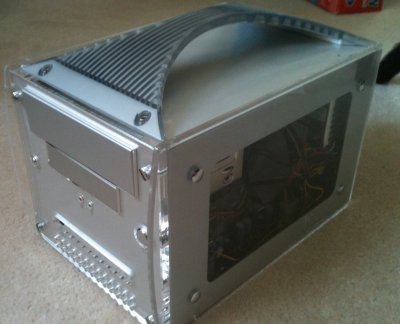
mini-pc for FreeNAS
Over the weekend I installed FreeNAS 7 (not the latest – 8) on a mini PC I was looking to sell. Nobody wanted to buy it and I had read recently on Lifehacker about FreeNAS. I’ve been wanting a central file server for a while now that could house MP3s and movies, etc and stream it to various devices (iphone, ipad, Xbox 360, XBMX, etc) and this sounded perfect. I got it all setup finally despite it being somewhat involved and non-intuitive. I wanted to plug in my 500GB USB HD into it but it says not to use NTFS with it so if I want to do that I’m going to have to copy all the data off of it (not sure I have ~300GB of extra space anywhere), format it for FreeNAS, then copy the stuff back. Maybe I’ll just get an internal drive for it instead and start fresh.