Pocketbook ereader – using book covers from Koreader as the sleep screen image
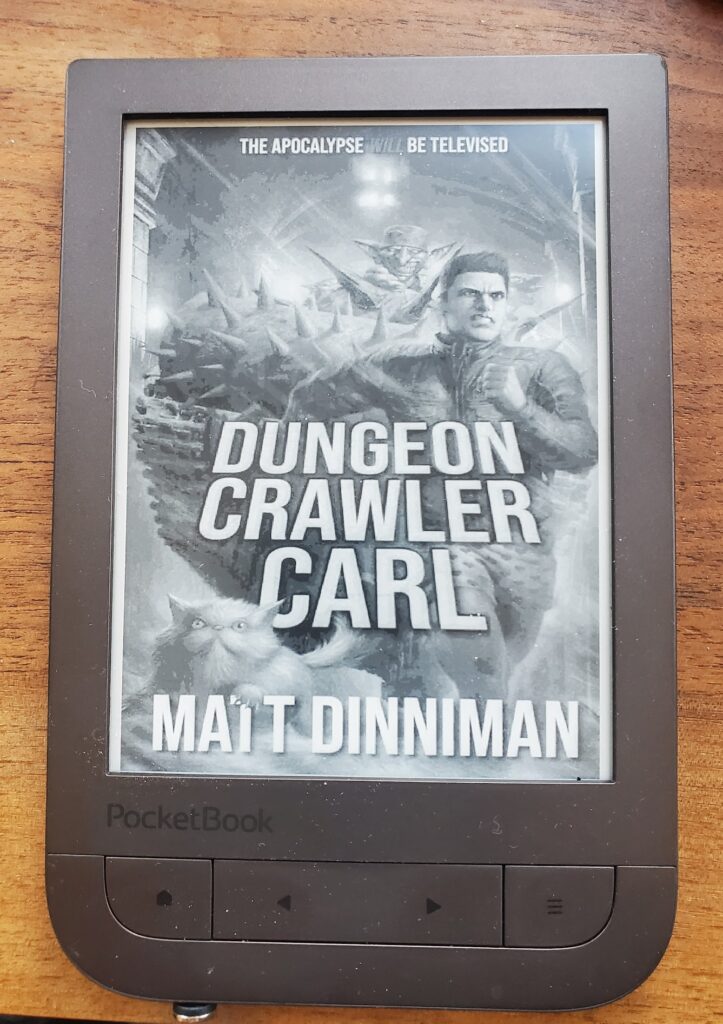
So far this is confirmed working on:
- Pocketbook Touch HD 2
- Pocketbook Era Color
I REALLY disliked the ZZZ sleep image on my Pocketbook Touch HD 2 (PB631) ereader. On my hacked Kindle, KOReader will show the cover image. I wanted the same thing on the Pocketbook. I googled and searched all over and couldn’t find an answer, but I found clues in a couple places. One was how to replace the boot and startup logos. Another was a tutorial showing how to change the sleep (ZZZ) image to something else (translated to English).
So, here is how to show your book cover instead of the sleep image on a Pocketbook. This should work on some other Pocketbook models, but this is the only one I have so no guarantees.
- plug in your Pocketbook via USB and in the root directory, create system/resources/Line (you will create resources and Line)
- in system/resources/Line create an empty file named taskmgr_lock_background.bmp
- safely disconnect your pocketbook
- on your pocketbook, open KOReader and go to the cog wheel (3rd from left) in the main settings menu. Choose “screen->cover image” then check “save cover image”. Choose “set image path” and choose the location you just created: system/resources/Line/taskmgr_lock_background.bmp. Under “Size, background and format, choose “BMP file format (grayscale) and choose if you want to fit to screen and what background you want. Optionally, change the stretch ratio to threshold. I set mine to 20% so it would fill the screen even if it stretched it.
- now to make this work well, go to the Pocketbook settings-Saving Power and turn on “auto screen lock” and turn off “power off after” so that it will go to sleep but not turn off completely.
One caveat – it appears that the Pocketbook caches in memory the sleep image, so if you change books in KOReader, it will write the cover properly but the Pocketbook won’t use it until you power off and power back on. So, when you start a new book in KOReader, open it, power off, power back on then your cover will be shown. Luckily the Pocketbook restarts pretty quickly and you only have to do it when you start a new book.
UPDATE: if you want to also set the book cover as your poweroff image, try this: https://www.mobileread.com/forums/showpost.php?p=4451675&postcount=7