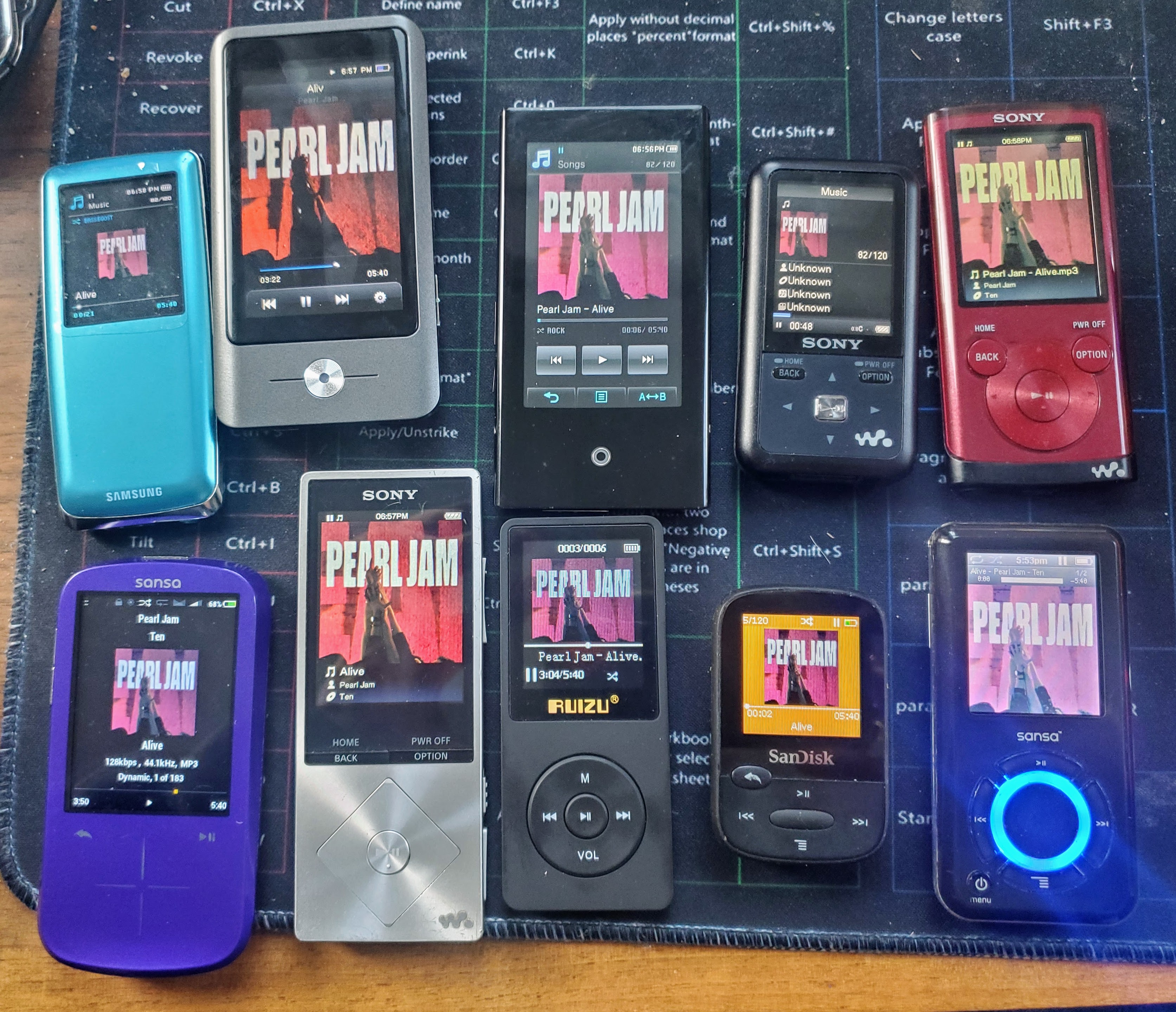
I have a BUNCH of old MP3 players now. I take my favorite 120 songs and put them on all of them and use them. I finally got tired of only having about 20 of them show their album art and the others didn’t. I decided to figure out how to fix it. Here is what I found – by doing this, it made almost every one of the album arts show on my various MP3 players from Sony, Samsung, Sandisk/Sansa, Rockbox, Coby, Ruizu, etc.
I used a tool called Kid3 from https://kid3.kde.org/ to view and edit the MP3 tags. First, I looked at the MP3 files that had album art but weren’t showing. I found that for many, if I changed the text encoding of the album art to ISO-8859-1 (most were set to UTF-16), then those started displaying. Next, the id3 v2 format must be ID2V2.3.0. NOT HIGHER – many of mine were ID2V2.4.0. Once I changed them to ID2V2.3.0, those started showing. I also made sure the images were 300×300 – though I didn’t do a lot of experimentation with that. By doing these 3 things, almost every one of them now show album art on all my players.
One other thing – and maybe this is only for Sony players… if hte album art description has () or commas, remove those. For some reason, that causes the album art on Sonys not to show.
There are a few that don’t properly read the artist/track/album info, but I haven’t dug into that. Here are my results…
For these, art and all metadata displays correctly:
- Coby MP837
- Ruizu D50
- Ruizu X02
- Samsung YP-S3
- Sandisk Clip Sport
- Sansa E350 (Rockbox)
- Sansa Fuze+ (Rockbox)
- Sony NWZ-A17
- Sony NWZ-E354
For these, art displays but other metadata doesn’t:
- Samsung YP-P2
- Sony NWZ-S615F
Give this a try and see if this fixes things if you are having trouble displaying album art!
Hello! I did understend how do you change them to ID2V2.3.0, tks